Overview

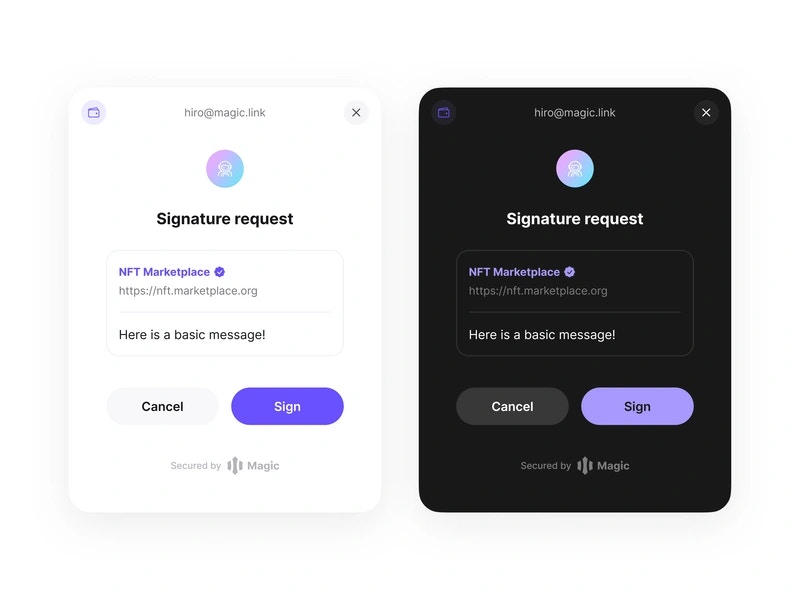
Magic offers out-of-the-box Signature Request UI when the user is prompted to sign a personal or typed message for the following EVM RPC methods:
  • personal_sign
  • eth_signTypedData_v3
  • eth_signTypedData_v4
These methods allow dApps to verifiably prove the ownership of the user’s account by getting a signature from their private key and using it to sign arbitrary and/or typed data. Additionally, it is possible to obtain a user’s signature during login in a single step using login with verification feature.
Personal-Signature

Compatibility

  • Personal Signature UI is disabled by default and can be enabled within the developer dashboard in Customization -> Widget UI. Magic also offers Sign Confirmation, a feature that secures users from front-end attacks, by prompting them to confirm the transaction in a Magic-hosted tab after clicking “Send”.

Use Cases

  • Prove verifiable ownership of a public address through signing arbitrary data provided by the dApp
  • Used in various scenarios where a user needs to sign a structured message as proof of their approval

Usage

⁠Once you have verified the correct setup of the Magic SDK and successfully authenticated the user, you can request consent to collect their information:
JavaScript

import { BrowserProvider } from "ethers";
import { Magic } from "magic-sdk";
import { recoverPersonalSignature } from "@metamask/eth-sig-util";

const magic = new Magic("YOUR_API_KEY", {
  network: "sepolia",
});
const provider = new BrowserProvider(magic.rpcProvider);

const signAndVerify = async () => {
  const signer = await provider.getSigner();
  const account = await signer.getAddress();
  const message = "Here is a basic message!";
  const signedMessage = await magic.rpcProvider.request({
    method: "personal_sign",
    params: [message, account],
  });
  console.log("signedMessage:", signedMessage);
  // recover the public address of the signer to verify
  const recoveredAddress = recoverPersonalSignature({
    data: message,
    signature: signedMessage,
  });
  console.log(
    recoveredAddress.toLocaleLowerCase() === account.toLocaleLowerCase()
      ? "Signing success!"
      : "Signing failed!"
  );
};

Configuration

See how to brand this experience with your own logo and colors in the customization section. ⁠

Resources