

Installation
To interact with the Ethereum blockchain, Magic Android SDK integratesWeb3j as sub dependency.
Add the following dependencies in build.gradle
Kotlin
Initialization
The Magic class is the entry-point to the Magic SDK. It must be instantiated with a Magic publishable key.NoteThe following example uses Kotlin 1.3 and Magic Android 4.x. Android demo will be open-sourced soon. You may use Android Studio to convert Java to Kotlin or vice versa.
Kotlin
Use Different Networks
Testnet
Goerli Block Explorer: https://goerli.etherscan.io Goerli Testnet Faucet: https://goerlifaucet.comKotlin
Custom Node
You can allow specific URLs to interact with the Magic SDK, such as a custom RPC URL to send transactions to your node. The Content Security Policy (CSP) of a browser dictates what resources can be loaded. You can update the policy in the settings page of the dashboard with your custom URL.Important
The use of a custom node will require the RPC URL to the project’s Content Security Policy from your Magic Dashboard. Refer to the CSP documentation.
Kotlin
Important
Do not set the custom nodes to local IP address (E.x. http://127.0.0.1),
because local IP will point to the network environment inside mobile device / simulator. Try accessible IP address in the same Wifi/Internet Environment (E.x. http://10.0.0.93:3000).
Associated Class
CustomNodeConfiguration(rpcUrl: String, chainId: Int?)
rpcUrl: Your own node URLchainId: Your own node’s chainId
Magic.EthNetwork
Kotlin
Common Methods
Send Transaction
Kotlin
Sign Message
Magic Android SDK extends the functionality from Web3j to allow developers to sign Typed Data. You may find it inmagic.web3jSigExt.
Personal Sign
Kotlin
Sign TypedData Legacy (V1)
Kotlin
Sign Typed Data v3
Kotlin
Sign Typed Data v4
Kotlin
Get User Info
Kotlin
Smart Contract
In this example, we’ll be demonstrating how to use Magic with Web3j to interact with Solidity smart contracts. The simple Hello World contract allows anyone to read and write a message to it.Solidity
Create a Kotlin/Java Contract Class from ABI
Web3j supports the auto-generation of smart contract function wrappers in Java from Solidity ABI files. To get started, you must have two files- ABI JSON file
<Contract>.json - ByteCode file
<Contract>.bin
Install web3j cli-tool
Bash
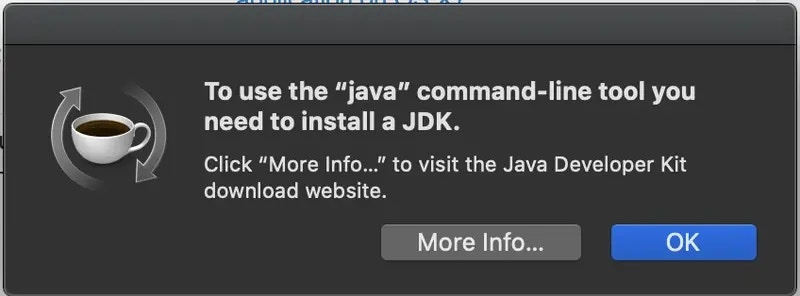
Bash
Create the contract class
Bash
Contract.java file created in your output directory above. Put this file in your project, and no more changes are needed.
For more details about this section, please click here.
Deploy Contract
When deploying contract, building or interacting with a contract using web3j library, Magic offersMagicTxnManager class as a default TransactionManager that helps you to avoid dealing with private keys or credentials that Contract class requires.
Kotlin
Read From Contract
Kotlin
Write to Contract
Kotlin