> ## Documentation Index
> Fetch the complete documentation index at: https://docs.magic.link/llms.txt
> Use this file to discover all available pages before exploring further.
# Teams
> We believe that when it comes to building great apps, collaboration is key. That's why every Magic developer is given a personal team by default.
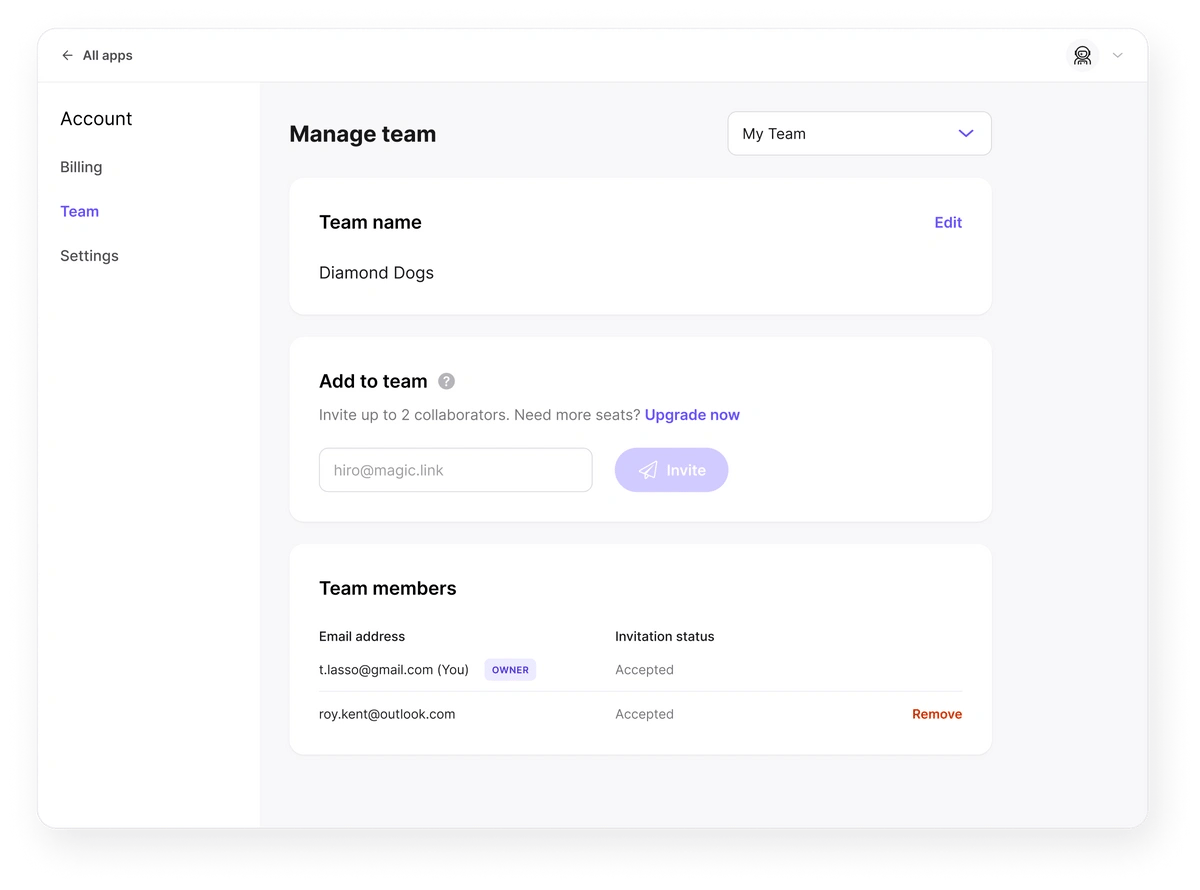
You can work solo, or invite up to two collaborators to your team to help integrate Magic, update branding, or manage users.
Need more than 2 seats? Subscribe to Magic's Startup or Growth plan to unlock additional team seats along with other features. See [Pricing](https://magic.link/pricing#features) for more details.
 ## Billing and Permissions
Teams consist of two basic permission levels: a **team owner** and **collaborators**.
Owners have full control over managing their team. They're also responsible for billing. All apps within a team's Dashboard will be billed to the team owner.
Collaborators have access to nearly all Dashboard functionality, with a few exceptions. When working in another team's space, collaborators cannot delete apps, view/edit billing info, or manage the team.
## Managing your team
As a team owner you can add members, remove members, or customize your team name through the [**Teams page**](https://dashboard.magic.link/account/team) in the Account section of Dashboard.
Magic does not currently allow for the creation of new teams.
Questions or feedback? [Join us on Discord](https://discord.gg/zuJwVbB7kX)!
## Billing and Permissions
Teams consist of two basic permission levels: a **team owner** and **collaborators**.
Owners have full control over managing their team. They're also responsible for billing. All apps within a team's Dashboard will be billed to the team owner.
Collaborators have access to nearly all Dashboard functionality, with a few exceptions. When working in another team's space, collaborators cannot delete apps, view/edit billing info, or manage the team.
## Managing your team
As a team owner you can add members, remove members, or customize your team name through the [**Teams page**](https://dashboard.magic.link/account/team) in the Account section of Dashboard.
Magic does not currently allow for the creation of new teams.
Questions or feedback? [Join us on Discord](https://discord.gg/zuJwVbB7kX)!