> ## Documentation Index
> Fetch the complete documentation index at: https://docs.magic.link/llms.txt
> Use this file to discover all available pages before exploring further.
# Content Security Policy
> The [Content Security Policy](https://developer.mozilla.org/en-US/docs/Web/HTTP/Headers/Content-Security-Policy) (CSP) of a browser dictates what resources can load.
## Overview
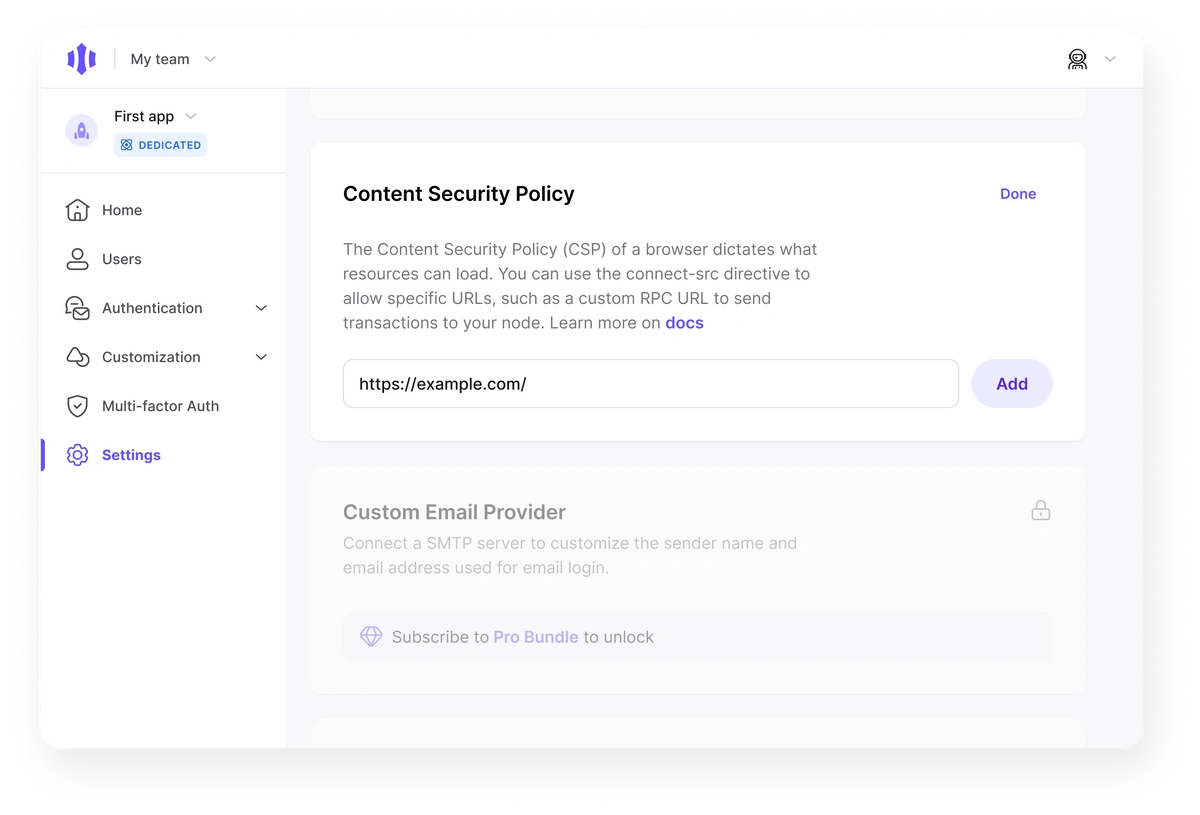
Magic maintains a predefined list of RPC URLs in the CSP. You can find these RPC URLs in [the page relevant to your chosen blockchain](/embedded-wallets/blockchains/overview). You can update the policy on the Settings page in the [Magic Dashboard](http://dashboard.magic.link) with a custom URL.
 ## Use cases
* Use the [connect-src directive](https://developer.mozilla.org/en-US/docs/Web/HTTP/Headers/Content-Security-Policy/connect-src) to allow specific URLs, such as a custom RPC URL to send transactions to your node
## Usage
When connecting to a custom RPC node, ensure that the URL you use in your code has been added to the CSP in your [Magic Dashboard](https://dashboard.magic.link).
```javascript JavaScript icon="square-js" theme={null}
const customNodeOptions = {
rpcUrl: 'https://eth-mainnet.g.alchemy.com/v2/xyz', // Your own node URL
chainId: 1011, // Your own node's chainId
};
// Setting network to localhost blockchain
const magic = new Magic('YOUR_PUBLISHABLE_API_KEY', {
network: customNodeOptions,
});
```
## Use cases
* Use the [connect-src directive](https://developer.mozilla.org/en-US/docs/Web/HTTP/Headers/Content-Security-Policy/connect-src) to allow specific URLs, such as a custom RPC URL to send transactions to your node
## Usage
When connecting to a custom RPC node, ensure that the URL you use in your code has been added to the CSP in your [Magic Dashboard](https://dashboard.magic.link).
```javascript JavaScript icon="square-js" theme={null}
const customNodeOptions = {
rpcUrl: 'https://eth-mainnet.g.alchemy.com/v2/xyz', // Your own node URL
chainId: 1011, // Your own node's chainId
};
// Setting network to localhost blockchain
const magic = new Magic('YOUR_PUBLISHABLE_API_KEY', {
network: customNodeOptions,
});
```