> ## Documentation Index
> Fetch the complete documentation index at: https://docs.magic.link/llms.txt
> Use this file to discover all available pages before exploring further.
# Transaction Signing
## Overview
Magic offers out-of-the-box UI for Transaction Signing. This UI will be presented to the user whenever the `sendTransaction` EVM RPC method is called with a web3 provider library such as `ethers.js`.
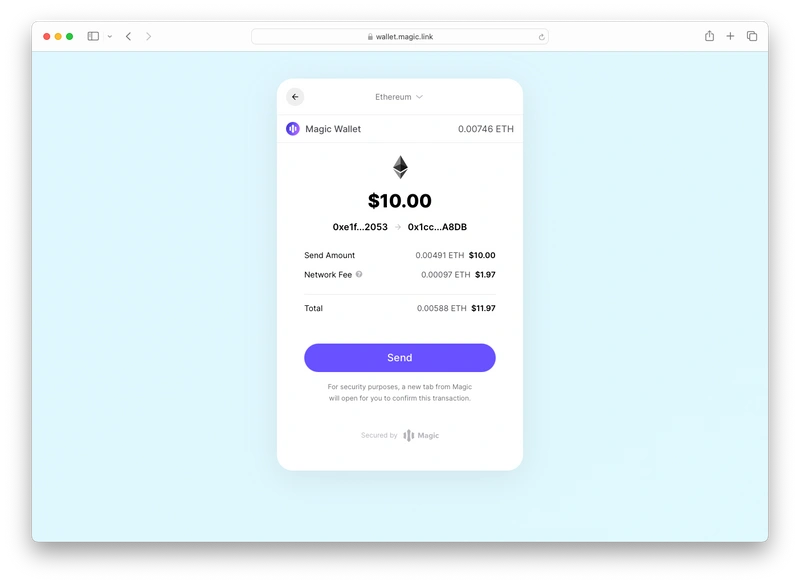 Once the method is invoked, Magic will provide information about the transaction, and the cost including estimated gas fees.
 ### Compatibility
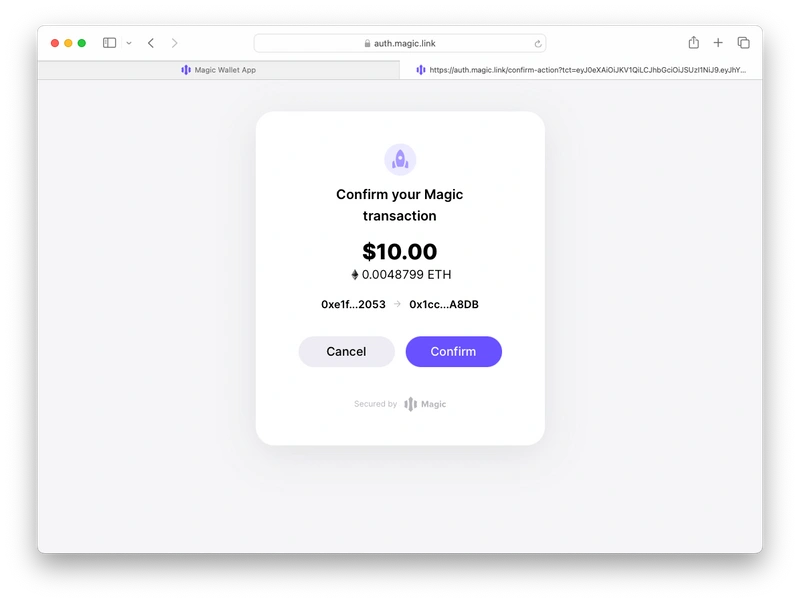
* Transaction Signing UI is disabled by default and can be enabled within the developer dashboard in Customization -> Widget UI. Magic also offers [Sign Confirmation](/embedded-wallets/wallets/security/sign-confirmation), a feature that secures users from front-end attacks, by prompting them to confirm the transaction in a Magic-hosted tab after clicking "Send".
### Use Cases
* Requesting signatures from users for any transaction on the [supported networks](/embedded-wallets/blockchains/overview)
### Usage
Once you have verified the correct setup of the Magic SDK and successfully authenticated the user, you can proceed to send a request that invokes the Transaction Signature UI:
```javascript Ethers (v6) icon="square-js" theme={null}
import { ethers } from 'ethers';
import { Magic } from 'magic-sdk';
const magic = new Magic('YOUR_PUBLISHABLE_API_KEY');
const provider = new ethers.BrowserProvider(magic.rpcProvider);
const signer = await provider.getSigner();
const txnParams = {
to: toAddress,
value: ethers.parseUnits('0.001', 'ether'),
};
const tx = await signer.sendTransaction(txnParams);
console.log(tx);
```
```javascript Ethers (v5) icon="square-js" theme={null}
import { ethers } from 'ethers';
import { Magic } from 'magic-sdk';
const magic = new Magic('YOUR_PUBLISHABLE_API_KEY');
const provider = new ethers.providers.Web3Provider(magic.rpcProvider);
const signer = provider.getSigner();
const txnParams = {
to: toAddress,
value: ethers.utils.parseUnits('0.001', 'ether')
};
const tx = await signer.sendTransaction(txnParams);
console.log(tx);
```
#### Configuration
See how to brand this experience with your own logo and colors in the [customization section](/embedded-wallets/wallets/customization/brand-and-theme).
### Resources
* [Quickstart](/embedded-wallets/quickstart/overview)
* [Supported EVM RPC Methods](/embedded-wallets/sdk/client-side/javascript#evm-rpc-methods)
### Compatibility
* Transaction Signing UI is disabled by default and can be enabled within the developer dashboard in Customization -> Widget UI. Magic also offers [Sign Confirmation](/embedded-wallets/wallets/security/sign-confirmation), a feature that secures users from front-end attacks, by prompting them to confirm the transaction in a Magic-hosted tab after clicking "Send".
### Use Cases
* Requesting signatures from users for any transaction on the [supported networks](/embedded-wallets/blockchains/overview)
### Usage
Once you have verified the correct setup of the Magic SDK and successfully authenticated the user, you can proceed to send a request that invokes the Transaction Signature UI:
```javascript Ethers (v6) icon="square-js" theme={null}
import { ethers } from 'ethers';
import { Magic } from 'magic-sdk';
const magic = new Magic('YOUR_PUBLISHABLE_API_KEY');
const provider = new ethers.BrowserProvider(magic.rpcProvider);
const signer = await provider.getSigner();
const txnParams = {
to: toAddress,
value: ethers.parseUnits('0.001', 'ether'),
};
const tx = await signer.sendTransaction(txnParams);
console.log(tx);
```
```javascript Ethers (v5) icon="square-js" theme={null}
import { ethers } from 'ethers';
import { Magic } from 'magic-sdk';
const magic = new Magic('YOUR_PUBLISHABLE_API_KEY');
const provider = new ethers.providers.Web3Provider(magic.rpcProvider);
const signer = provider.getSigner();
const txnParams = {
to: toAddress,
value: ethers.utils.parseUnits('0.001', 'ether')
};
const tx = await signer.sendTransaction(txnParams);
console.log(tx);
```
#### Configuration
See how to brand this experience with your own logo and colors in the [customization section](/embedded-wallets/wallets/customization/brand-and-theme).
### Resources
* [Quickstart](/embedded-wallets/quickstart/overview)
* [Supported EVM RPC Methods](/embedded-wallets/sdk/client-side/javascript#evm-rpc-methods)