> ## Documentation Index
> Fetch the complete documentation index at: https://docs.magic.link/llms.txt
> Use this file to discover all available pages before exploring further.
# Custom Session Management
export const StartupPlanCallout = () => {
return
This feature requires a subscription to Startup or Growth plan.
;
};
## Overview
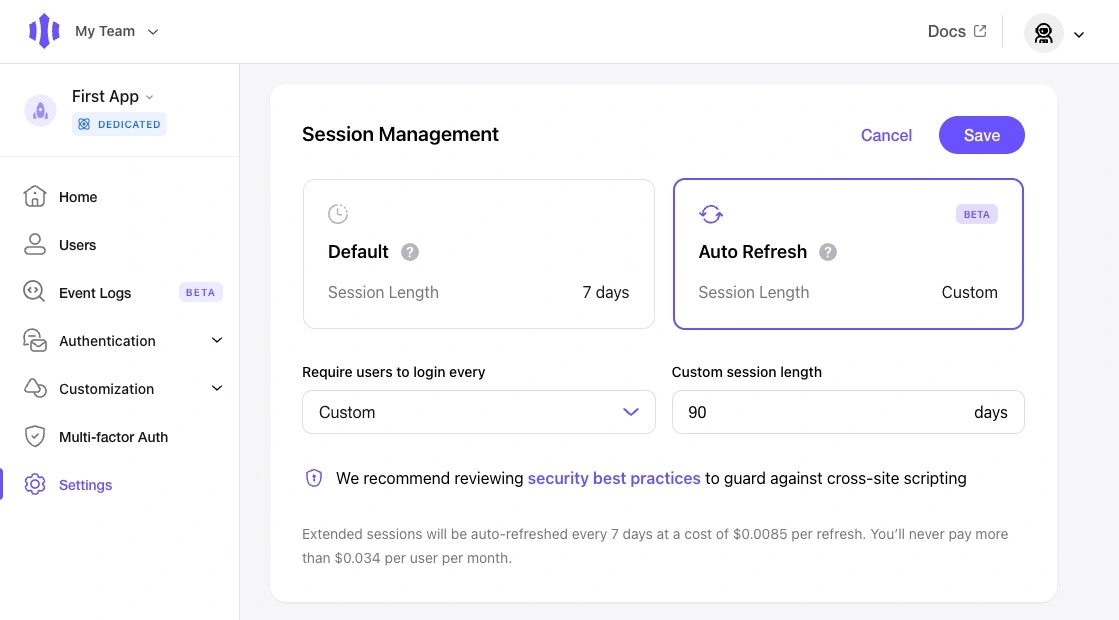
The Session Management feature allows you to control the maximum duration of your user's sessions with Magic. Default sessions will allow users to remain authenticated with Magic for **up to 7 days** (or until they logout or browser data is cleared). Auto Refresh sessions will allow users to stay authenticated with Magic for a duration of your choosing, up to 90 days (or until they logout or browser data is cleared).
When Auto Refresh is enabled, each successful authentication will be issued a refresh token along with the session token. The refresh token will be valid for the configured number of days and while valid, will allow the user to bypass re-authentication. Once the refresh token expires, the user will need to re-authenticate with Magic.