> ## Documentation Index
> Fetch the complete documentation index at: https://docs.magic.link/llms.txt
> Use this file to discover all available pages before exploring further.
# WebAuthn
## Overview
WebAuthn allows your users to sign up and log in to your web app with a FIDO2 device (YubiKey) or with biometrics (Touch ID). This API enables strong authentication with public key cryptography, enabling passwordless authentication and secure multi-factor authentication. For example, Passkeys utilize WebAuthn to enable passwordless authentication using device biometrics.
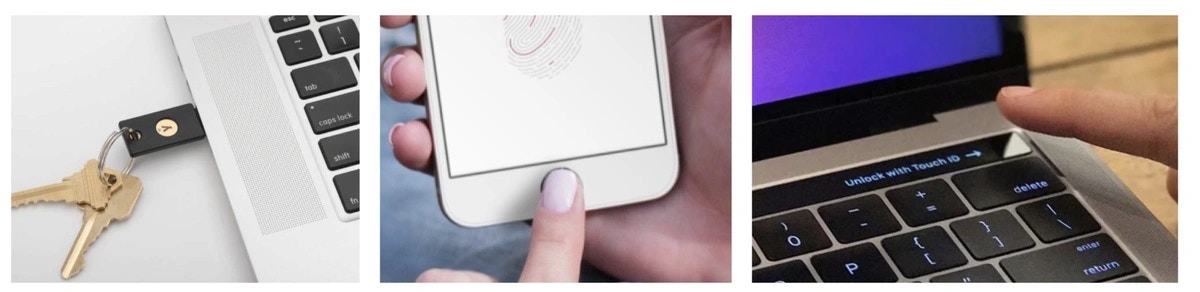 *Use a YubiKey or your finger to log in*
### Compatibility
WebAuthn is currently only supported on desktop, and will be supported on mobile devices soon.
WebAuthn SDK methods are available via the `WebAuthn` module of the [Web client-side SDK](/embedded-wallets/sdk/client-side/javascript#web-authn-module).
## Use Cases
* Passwordless, biometric authentication using public key cryptography
## Usage
### Installation
WebAuthn works as an extension to Magic SDK. To add WebAuthn to your Magic integration, follow these steps to install the **WebAuthn Extension.**
Install the Magic WebAuthn extension:
```bash NPM icon="npm" theme={null}
npm install magic-sdk @magic-ext/webauthn
```
```bash Yarn icon="yarn" theme={null}
yarn add magic-sdk @magic-ext/webauthn
```
### Initialization
Create your Magic SDK instance with the WebAuthn extension:
```javascript JavaScript icon="square-js" theme={null}
import { Magic } from 'magic-sdk';
import { WebAuthnExtension } from '@magic-ext/webauthn';
const magic = new Magic('YOUR_API_KEY', {
extensions: [new WebAuthnExtension()],
});
```
### Register new users
Register new users with the `registerNewUser` function in the `webauthn` module. You must provide the user's selected username and can optionally provide a nickname for the device.
```javascript JavaScript icon="square-js" theme={null}
try {
const token = await magic.webauthn.registerNewUser({ username: 'username' });
} catch (e) {
// Handle errors if required!
}
```
### Authenticate users
Authenticate users with the `login` method in the `webauthn` module. You must provide the user's username.
```javascript JavaScript icon="square-js" theme={null}
try {
const token = await magic.webauthn.login({ username: 'username' });
} catch (e) {
// Handle errors if required!
}
```
### Get User Metadata
Get WebAuthn-specific metadata with the `getMetadata` method in the `webauthn` module. The response includes the user's username as well as device info like the device ID, device nickname, etc.
```javascript JavaScript icon="square-js" theme={null}
try {
const metadata = await magic.webauthn.getMetadata();
/* webauthn metadata shape
{
"devicesInfo": [
{
"id": "EjI_EFJhB6cdCj6rHPRHUcFCn6NnywALuWjQyPe0_dI=",
"nickname": "",
"transport": "internal",
"user_agent": "Mozilla/5.0 (Macintosh; Intel Mac OS X 10_15_3) AppleWebKit/537.36 (KHTML, like Gecko) Chrome/85.0.4183.102 Safari/537.36"
}
],
"username": "username"
}
*/
} catch (e) {
// Handle errors if required!
}
```
## Resources
* [Demo](https://go.magic.link/example-webauthn)
* [Demo code](https://go.magic.link/example-webauthn-code)
*Use a YubiKey or your finger to log in*
### Compatibility
WebAuthn is currently only supported on desktop, and will be supported on mobile devices soon.
WebAuthn SDK methods are available via the `WebAuthn` module of the [Web client-side SDK](/embedded-wallets/sdk/client-side/javascript#web-authn-module).
## Use Cases
* Passwordless, biometric authentication using public key cryptography
## Usage
### Installation
WebAuthn works as an extension to Magic SDK. To add WebAuthn to your Magic integration, follow these steps to install the **WebAuthn Extension.**
Install the Magic WebAuthn extension:
```bash NPM icon="npm" theme={null}
npm install magic-sdk @magic-ext/webauthn
```
```bash Yarn icon="yarn" theme={null}
yarn add magic-sdk @magic-ext/webauthn
```
### Initialization
Create your Magic SDK instance with the WebAuthn extension:
```javascript JavaScript icon="square-js" theme={null}
import { Magic } from 'magic-sdk';
import { WebAuthnExtension } from '@magic-ext/webauthn';
const magic = new Magic('YOUR_API_KEY', {
extensions: [new WebAuthnExtension()],
});
```
### Register new users
Register new users with the `registerNewUser` function in the `webauthn` module. You must provide the user's selected username and can optionally provide a nickname for the device.
```javascript JavaScript icon="square-js" theme={null}
try {
const token = await magic.webauthn.registerNewUser({ username: 'username' });
} catch (e) {
// Handle errors if required!
}
```
### Authenticate users
Authenticate users with the `login` method in the `webauthn` module. You must provide the user's username.
```javascript JavaScript icon="square-js" theme={null}
try {
const token = await magic.webauthn.login({ username: 'username' });
} catch (e) {
// Handle errors if required!
}
```
### Get User Metadata
Get WebAuthn-specific metadata with the `getMetadata` method in the `webauthn` module. The response includes the user's username as well as device info like the device ID, device nickname, etc.
```javascript JavaScript icon="square-js" theme={null}
try {
const metadata = await magic.webauthn.getMetadata();
/* webauthn metadata shape
{
"devicesInfo": [
{
"id": "EjI_EFJhB6cdCj6rHPRHUcFCn6NnywALuWjQyPe0_dI=",
"nickname": "",
"transport": "internal",
"user_agent": "Mozilla/5.0 (Macintosh; Intel Mac OS X 10_15_3) AppleWebKit/537.36 (KHTML, like Gecko) Chrome/85.0.4183.102 Safari/537.36"
}
],
"username": "username"
}
*/
} catch (e) {
// Handle errors if required!
}
```
## Resources
* [Demo](https://go.magic.link/example-webauthn)
* [Demo code](https://go.magic.link/example-webauthn-code)