> ## Documentation Index
> Fetch the complete documentation index at: https://docs.magic.link/llms.txt
> Use this file to discover all available pages before exploring further.
# Facebook Social Login with Magic
> You can allow your users to sign up & log in to your web app with their Facebook account.
## Usage
### Prerequisites
* You will need a [Facebook Developer](https://developers.facebook.com/) account
* You will need to have the [Magic SDK installed](/embedded-wallets/sdk/overview) into your web app
* You will need to have the [Magic SDK - OAuth Extension](/embedded-wallets/authentication/login/oauth/oauth-implementation) installed into your web app
### Facebook Setup
After installing the OAuth extension, you can now enable Facebook Login for your Magic app:
1. Follow Facebook's instructions to [register a Facebook app](https://developers.facebook.com/docs/apps#register)
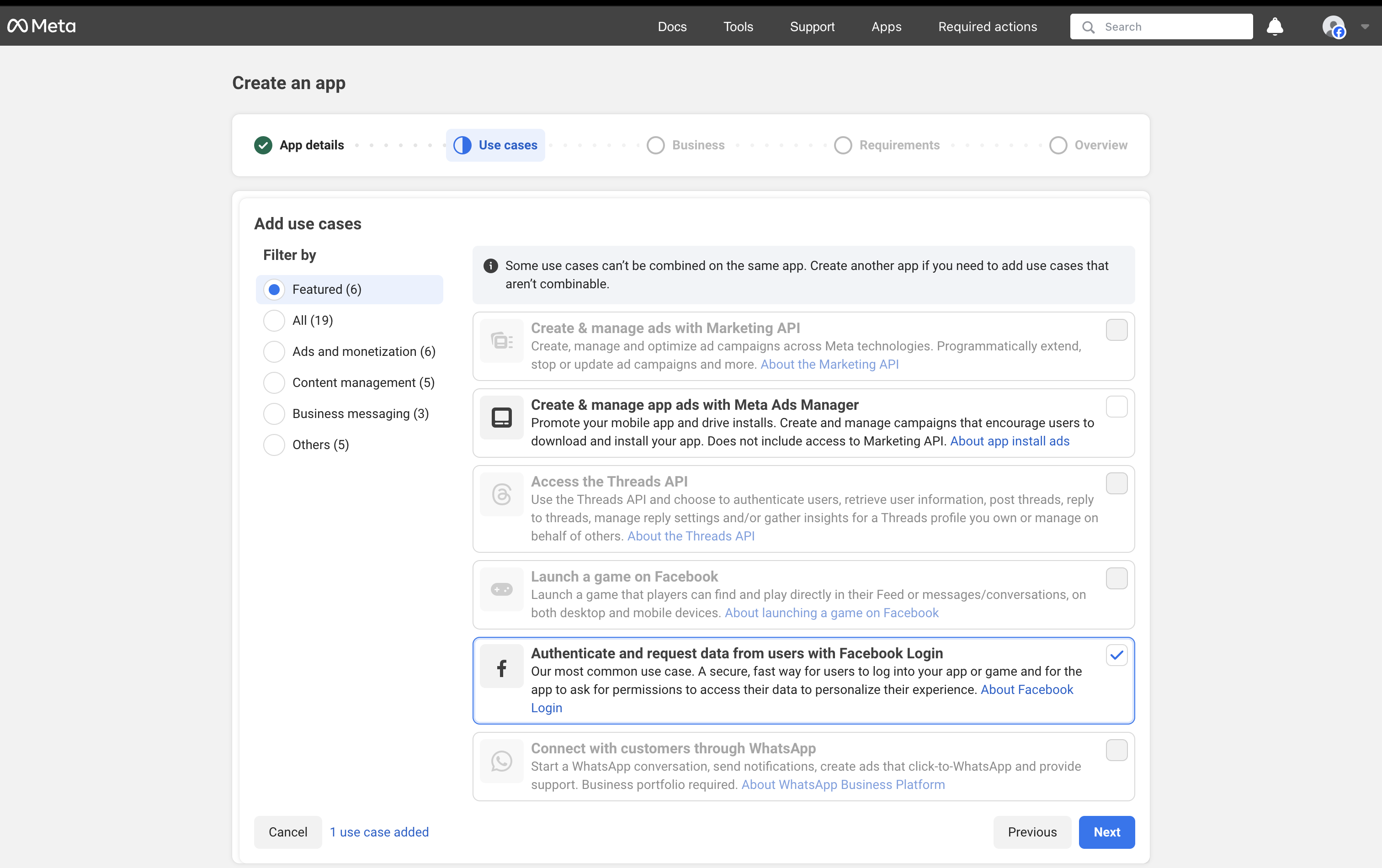
2. When creating your Facebook app, select **Authenticate and request data from users with Facebook Login**, click Next and follow the prompts to add app information
 3. Complete your Facebook app setup
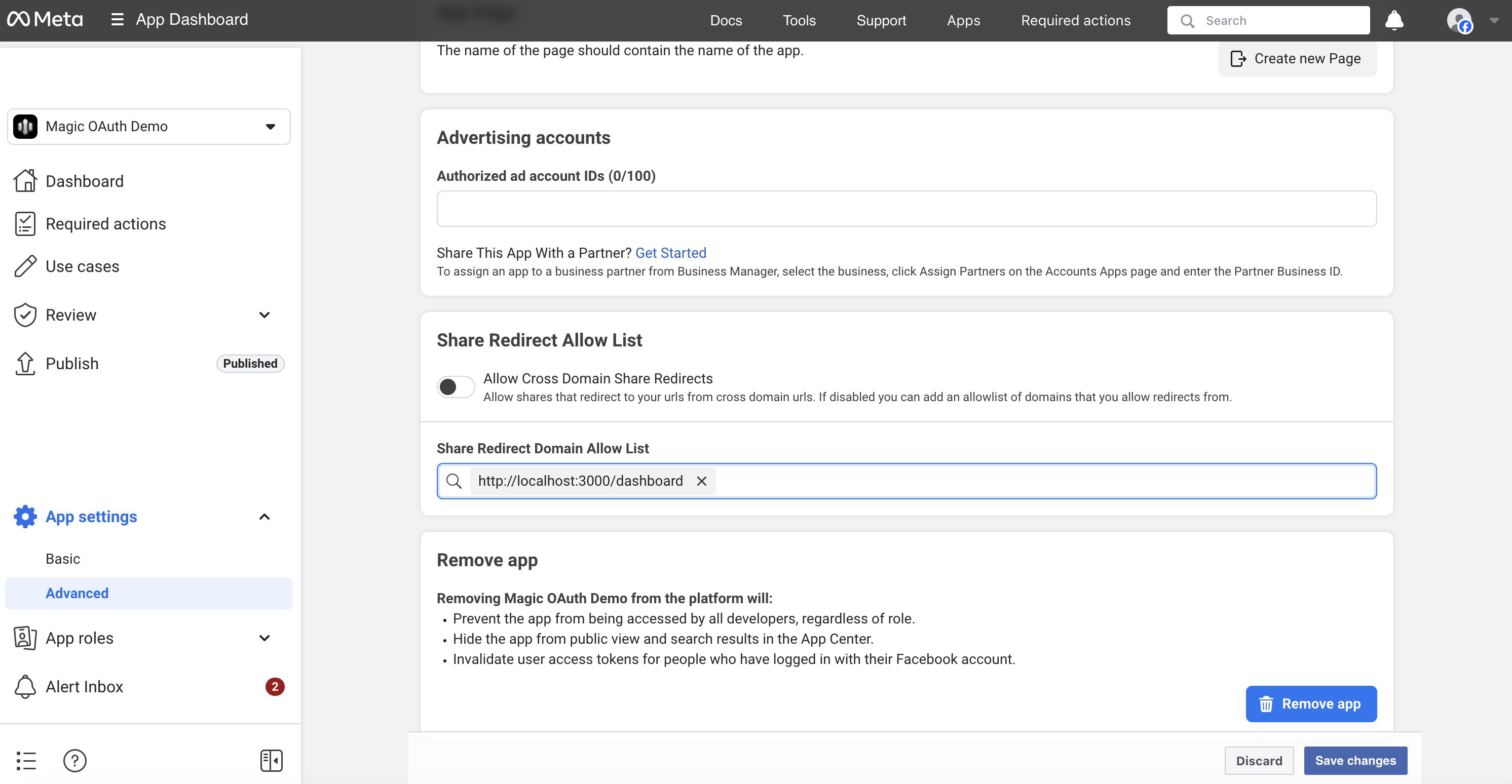
4. In your Facebook app's Advanced Settings page, add your **Redirect URI** in the **Share Redirect Allow List** input:
3. Complete your Facebook app setup
4. In your Facebook app's Advanced Settings page, add your **Redirect URI** in the **Share Redirect Allow List** input:
 Add the **Redirect URI** you are passing as the **redirectURI** argument to the **loginWithRedirect** method:
```javascript JavaScript icon="square-js" theme={null}
await magic.oauth2.loginWithRedirect({
provider: 'facebook',
redirectURI: 'https://your-app.com/your/oauth/callback', // whitelist this with Facebook
});
```
5. Save the changes in your Facebook settings
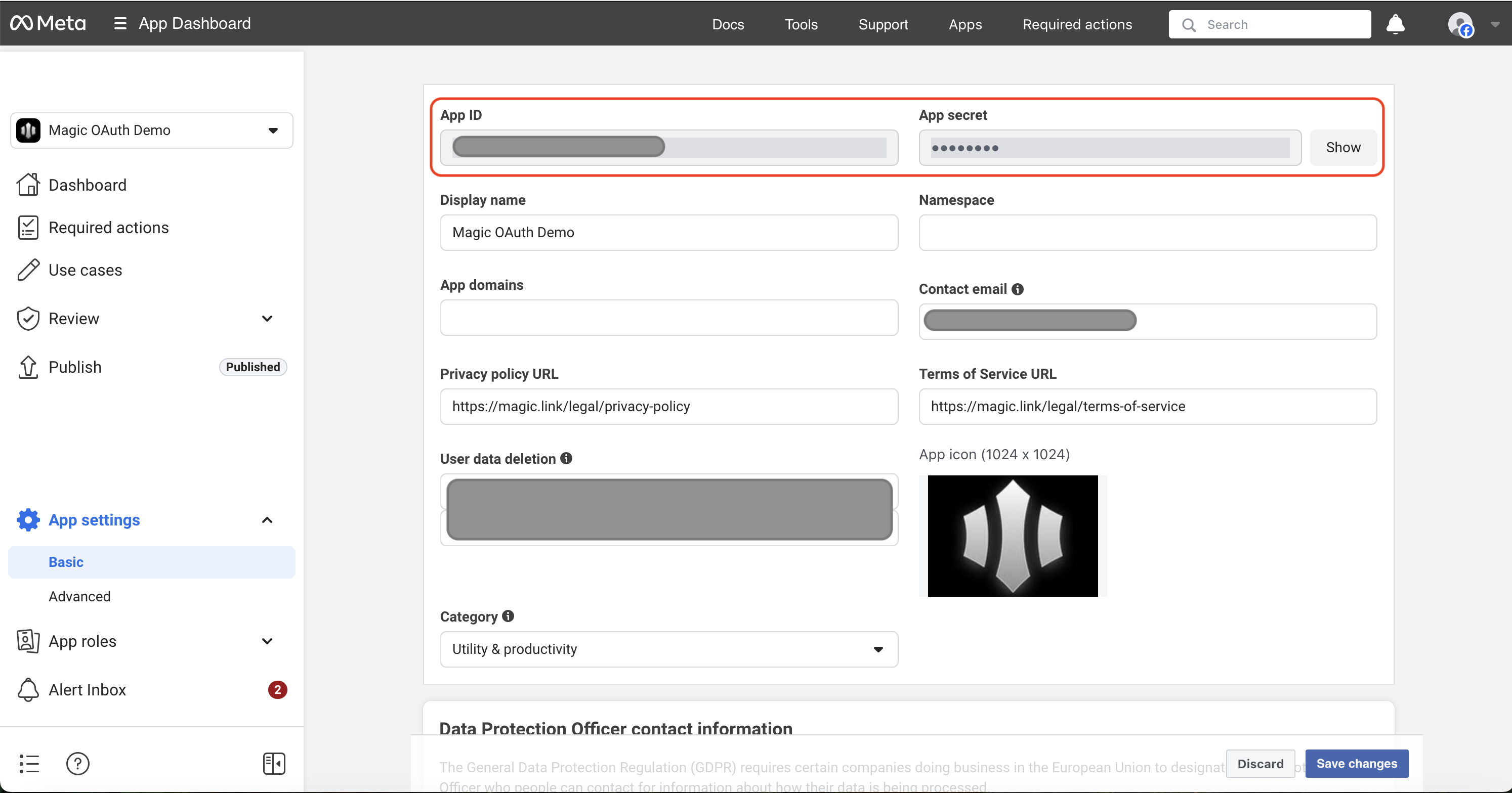
6. From the main Facebook dashboard, click on **App Settings -> Basic**
7. Copy the **App Id** and **App Secret**
Add the **Redirect URI** you are passing as the **redirectURI** argument to the **loginWithRedirect** method:
```javascript JavaScript icon="square-js" theme={null}
await magic.oauth2.loginWithRedirect({
provider: 'facebook',
redirectURI: 'https://your-app.com/your/oauth/callback', // whitelist this with Facebook
});
```
5. Save the changes in your Facebook settings
6. From the main Facebook dashboard, click on **App Settings -> Basic**
7. Copy the **App Id** and **App Secret**
 8. Go to your [Magic Dashboard](https://dashboard.magic.link/login)
9. Select the Magic app for which you'd like to enable Facebook Login, or create a new app
10. Navigate to **Social Login** from the sidebar
11. Click the toggle for **Facebook**
12. Input the **App Id** and **App Secret** from your Facebook app
13. In Magic Dashboard, click **Save**
## Resources
* [Facebook Social Login Demo](https://magic-oauth-v2-dun.vercel.app)
8. Go to your [Magic Dashboard](https://dashboard.magic.link/login)
9. Select the Magic app for which you'd like to enable Facebook Login, or create a new app
10. Navigate to **Social Login** from the sidebar
11. Click the toggle for **Facebook**
12. Input the **App Id** and **App Secret** from your Facebook app
13. In Magic Dashboard, click **Save**
## Resources
* [Facebook Social Login Demo](https://magic-oauth-v2-dun.vercel.app)