> ## Documentation Index
> Fetch the complete documentation index at: https://docs.magic.link/llms.txt
> Use this file to discover all available pages before exploring further.
# Multi-factor Authentication
> Multi-factor authentication is a common technique used to add an additional layer of security to an account. This means a secondary factor is validated along with the existing primary factor in order to login to an account.
export const StartupPlanCallout = () => {
return
This feature requires a subscription to Startup or Growth plan.
;
};
## Overview
Typically, the primary factor is an email and the secondary factor is a phone number or mobile device authenticator. The idea is that both factors must be compromised in order for an account to be breached. There are many forms of both primary and secondary factors.
Magic offers end-user MFA through mobile authenticator apps like Authy or Google Authenticator. This is currently supported for email, SMS, and social login primary factors.
### Compatibility
Cannot use with white-label login flows.
Multi-factor auth is currently compatible with end-user accounts created via email OTP or SMS login.
Multi-factor auth SDK methods are available via the following client-side SDKs:
* [Web](/embedded-wallets/sdk/client-side/javascript)
* [React Native](/embedded-wallets/sdk/client-side/react-native)
* [iOS](/embedded-wallets/sdk/client-side/ios)
* [Android](/embedded-wallets/sdk/client-side/android)
### Benefits of MFA
The most obvious benefit of MFA is increased security. Magic's MFA increases your users' security by requiring additional proof of ownership to their wallet. If a bad actor has found a way to compromise a user’s primary email or SMS, Magic's MFA provides a second layer of protection to prevent account compromise. Enabling MFA can also help you meet regulatory requirements. If you are required to meet PCI or CJIS compliance standards, then MFA should be enabled for your users.
This does come with some drawbacks, specifically a lengthier sign-in process for end users. Requiring MFA during initial registration can also decrease user conversion rates by increasing friction. A common way to mitigate this is by nudging users to enable MFA after initial registration. Magic was developed to give you maximum flexibility when you want to enroll your users into MFA. You can nudge them to enroll at the end of user registration or when they have hit a milestone on their user journey that may benefit from the enhanced security of MFA - for example, once they start to hold assets in their wallet.
## Usage
### Implementation
**Unlocking MFA**
Multi-factor auth is a premium feature available to all customers for an additional monthly charge. To unlock MFA for your workspace, please upgrade to the [**Startup Plan**](https://dashboard.magic.link/checkout/upgrade-to-startup) within your developer dashboard.
**Pre-requisites**
* [Client-side SDK](/embedded-wallets/sdk/client-side/javascript#installation)
* Feature unlocked by upgrading to the Startup
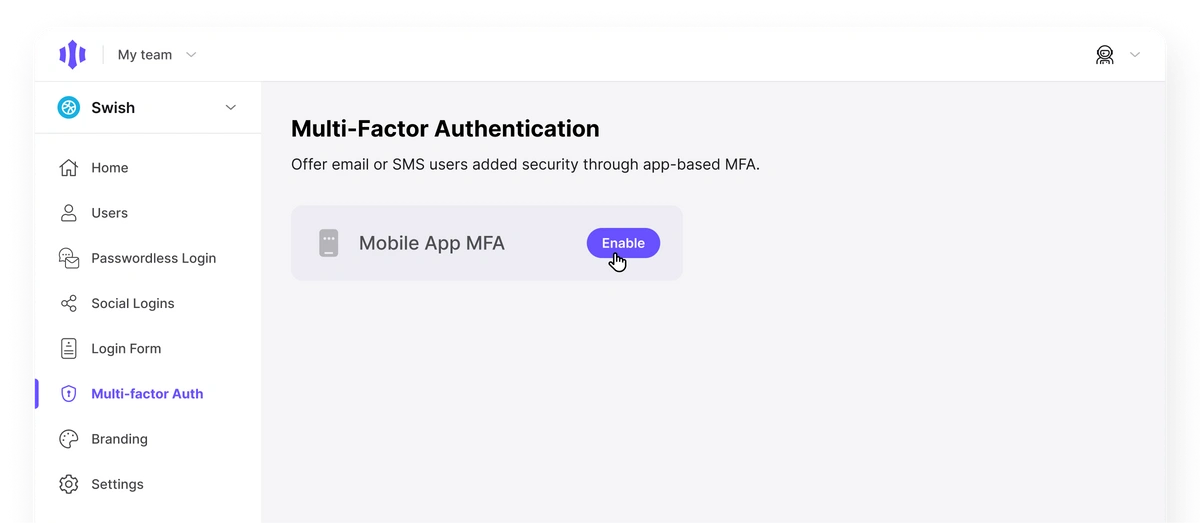
* Feature enabled through Multi-factor Auth Dashboard page
 **Add MFA to your app**
You can allow users to add MFA via one of several SDK method options
* `magicClient.user.showSettings()` - this will bring up the entire settings modal, and one of those settings options will allow users to enable or disable MFA.
* `magicClient.user.enableMFA()` - this will deeplink the user to the start of the enable MFA flow. The counter part to this is `magicClient.user.disableMFA()`
Calling the SDK method [`magic.user.getInfo()`](/embedded-wallets/sdk/client-side/javascript#getinfo) will return whether the user has MFA enabled or not. This can be used to progressively introduce MFA to users via a banner reminding them to enable it or similar.
### Disabling MFA
To disable MFA, remove any settings implementation for the Magic SDK or Login Form. Existing users with MFA enabled will still be able to use their second factor to login.
### End-user account recovery
**MFA recovery codes**
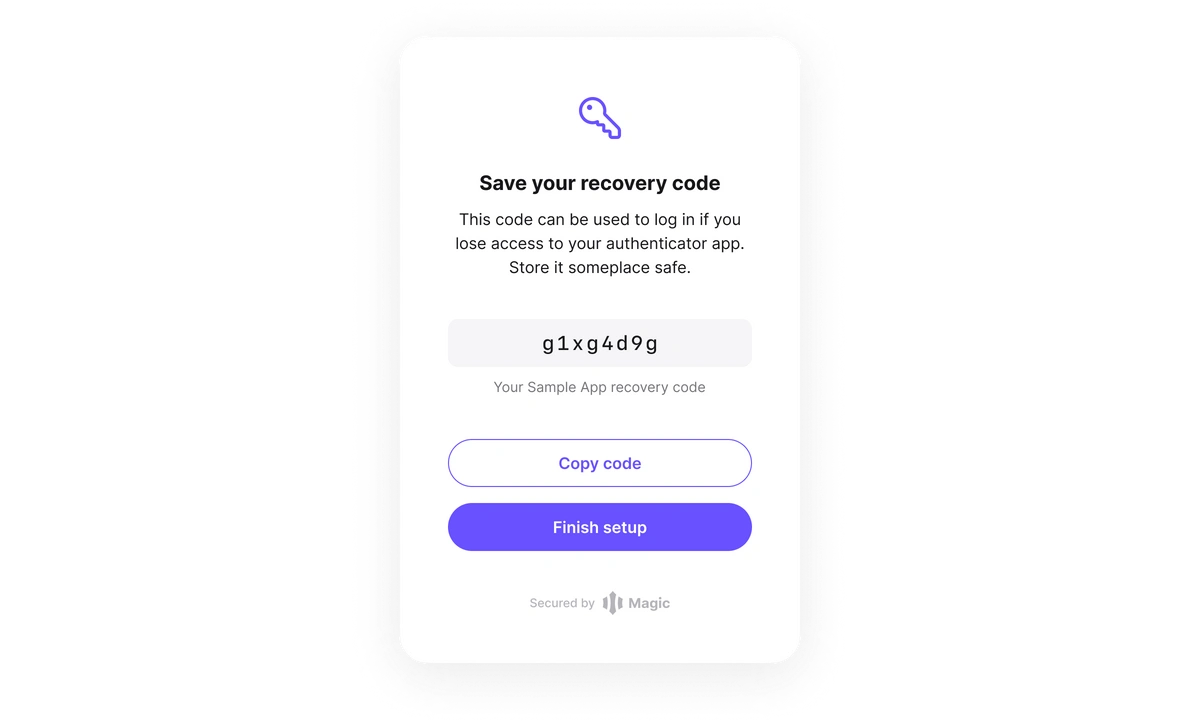
When registering for MFA, end users are given one-time use recovery codes. If an end-user loses access to their MFA, they can use their one-time recovery code to self-service recover their account.
Using the recovery code will authenticate the user and deactivate MFA in the process for the given device. The user will be given a new recovery code after they complete MFA enrollment.
**Add MFA to your app**
You can allow users to add MFA via one of several SDK method options
* `magicClient.user.showSettings()` - this will bring up the entire settings modal, and one of those settings options will allow users to enable or disable MFA.
* `magicClient.user.enableMFA()` - this will deeplink the user to the start of the enable MFA flow. The counter part to this is `magicClient.user.disableMFA()`
Calling the SDK method [`magic.user.getInfo()`](/embedded-wallets/sdk/client-side/javascript#getinfo) will return whether the user has MFA enabled or not. This can be used to progressively introduce MFA to users via a banner reminding them to enable it or similar.
### Disabling MFA
To disable MFA, remove any settings implementation for the Magic SDK or Login Form. Existing users with MFA enabled will still be able to use their second factor to login.
### End-user account recovery
**MFA recovery codes**
When registering for MFA, end users are given one-time use recovery codes. If an end-user loses access to their MFA, they can use their one-time recovery code to self-service recover their account.
Using the recovery code will authenticate the user and deactivate MFA in the process for the given device. The user will be given a new recovery code after they complete MFA enrollment.
 **Admin reset**
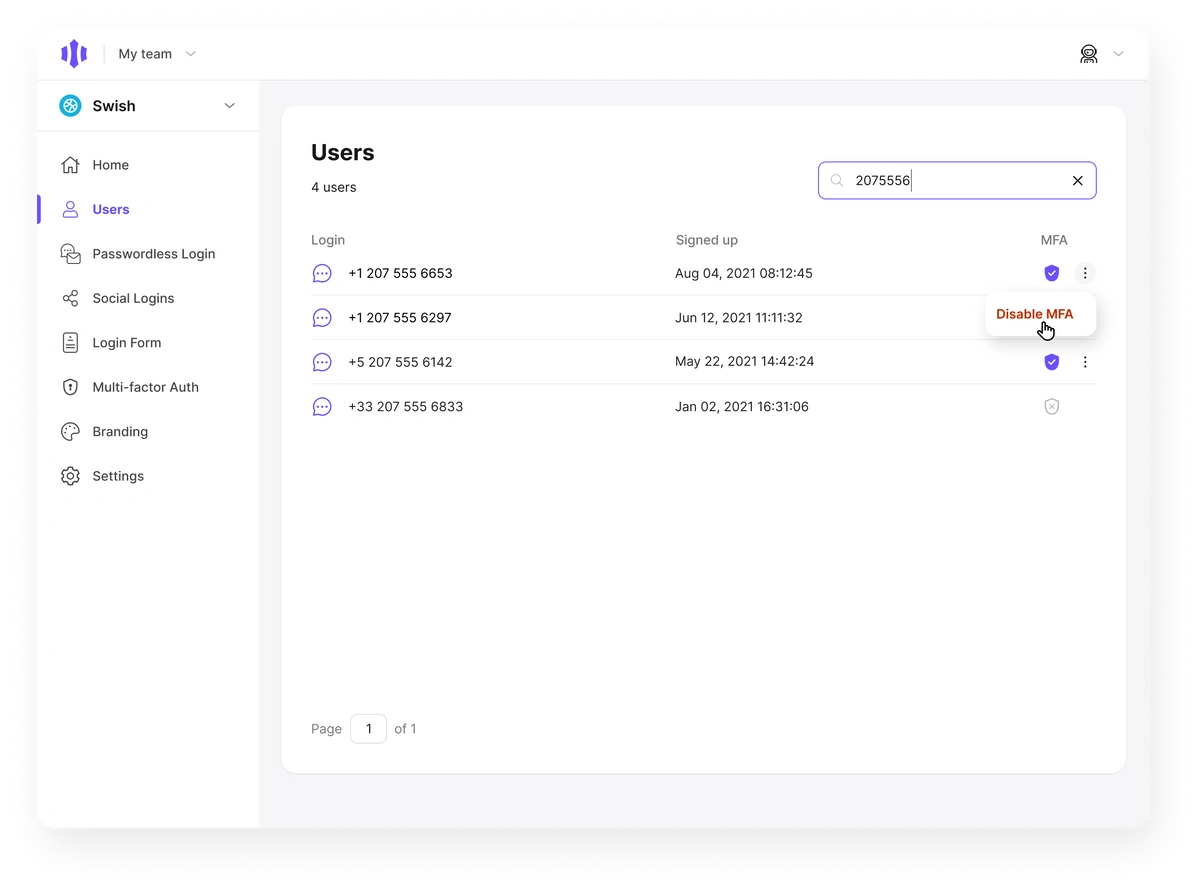
If a user loses their recovery code, you can reset their MFA via the Users section in the Magic Dashboard. Simply search for the user, and use the action menu on the right side to disable MFA. You will be asked to confirm the user again before MFA will be disabled.
**Admin reset**
If a user loses their recovery code, you can reset their MFA via the Users section in the Magic Dashboard. Simply search for the user, and use the action menu on the right side to disable MFA. You will be asked to confirm the user again before MFA will be disabled.