> ## Documentation Index
> Fetch the complete documentation index at: https://docs.magic.link/llms.txt
> Use this file to discover all available pages before exploring further.

# Data Export

export const StartupPlanCallout = () => {
  return <Card title="Paid Feature" icon="circle-exclamation">
      <div className="flex flex-1 justify-between items-center">
        <span>
          This feature requires a subscription to Startup or Growth plan.
        </span>
        <div className="not-prose group">
          <a href="https://magic.link/pricing#features">
            <button className="rounded-[10px] flex items-center space-x-2.5 py-1 px-4 bg-primary-dark dark:bg-white text-white dark:text-gray-950 group-hover:opacity-[0.9] font-medium">
              <span>View pricing</span>
            </button>
          </a>
        </div>
      </div>
    </Card>;
};

<StartupPlanCallout />

## Overview

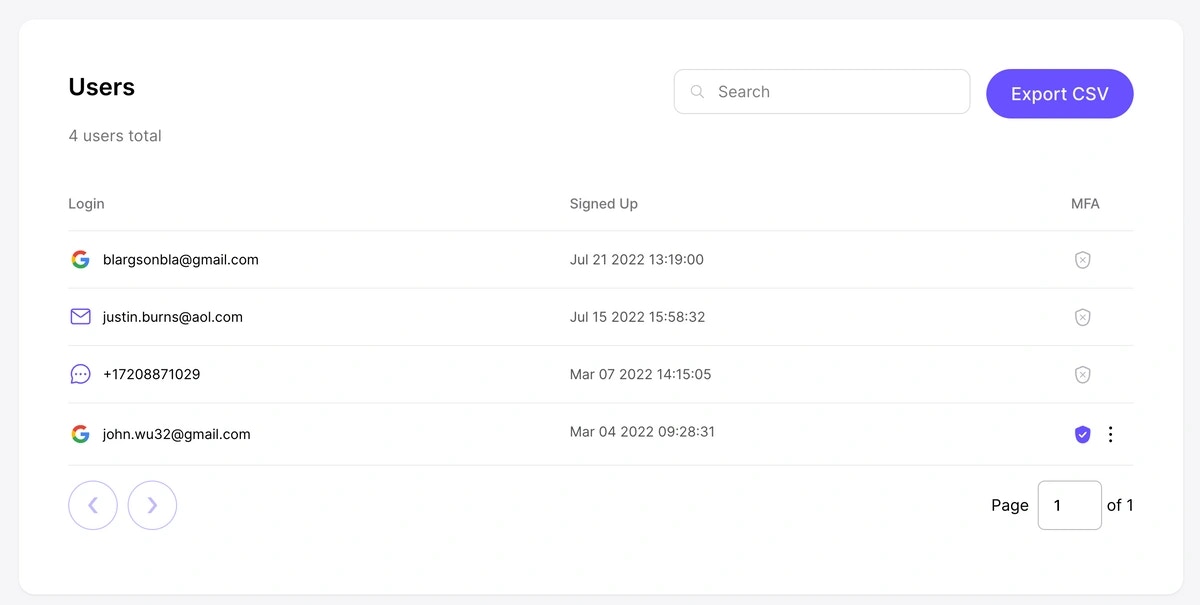
Data for which users are using your application can be found in the **Users** tab in your [Magic Dashboard](https://dashboard.magic.link). Basic attributes are provided per user, including their email address, when they signed up and when they last logged in.

Customers who are Startup and Growth subscribers will also have the ability to export data into a CSV format. This is available via the `Export CSV` button in the top right hand corner of the page.
<Frame>
  <img src="https://mintcdn.com/magic-newton/mA7B4icGsHcK07ZQ/images/screenshot-data-export.webp?fit=max&auto=format&n=mA7B4icGsHcK07ZQ&q=85&s=8d5756e7d705fe32b426ee4167f60e53" alt="" width="1200" height="605" data-path="images/screenshot-data-export.webp" />
</Frame>
