> ## Documentation Index
> Fetch the complete documentation index at: https://docs.magic.link/llms.txt
> Use this file to discover all available pages before exploring further.
# Login UI
## Overview
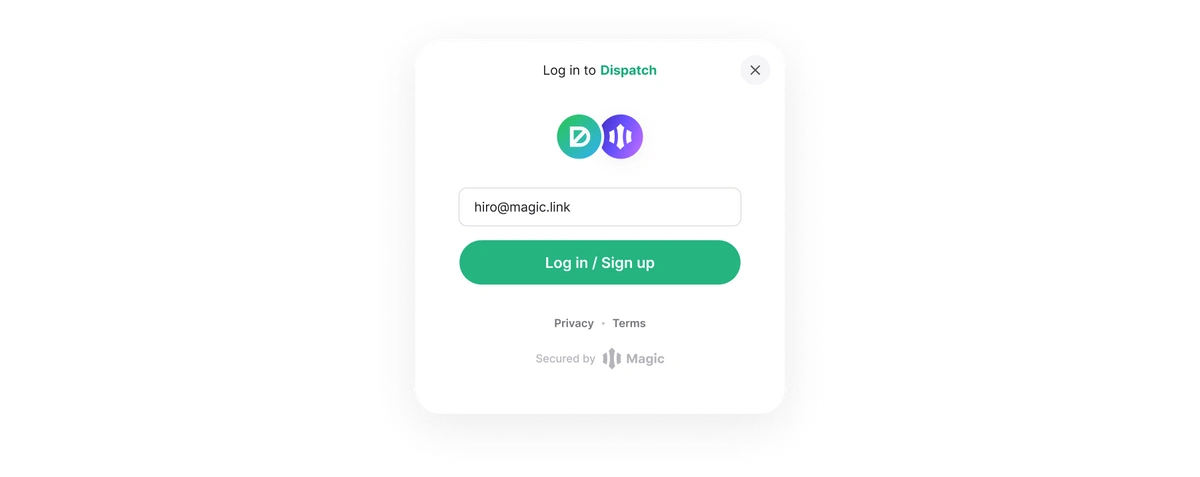
Magic's authentication can enable passwordless Web3 onboarding (no seed phrases) using multiple configurable methods. Each method either creates an account address for the user (non-custodial) or utilizes an existing account address. This is handled completely by Magic with out-of-the-box UI, with no lift from the integrating dApp.
### Compatibility
The Login UI is available via the following client-side SDKs:
* [Web](/embedded-wallets/sdk/client-side/javascript)
* [React Native](/embedded-wallets/sdk/client-side/react-native)
* [iOS](/embedded-wallets/sdk/client-side/ios)
* [Android](/embedded-wallets/sdk/client-side/android)
## Use Cases
* Allow your users to log in and/or sign up to your dApp using their preferred authentication method and gain access to their public wallet address on the network you are connected to.
* You can collect a signed token for wallet address verification and skip the need to explicitly request a personal signature which would prompt an additional screen.
 ## Authentication Methods
### Email One-Time Passcode
If a user chooses to authenticate through their email, they will receive a unique code to their email that is generated per attempt and the user will be required to enter it to authenticate. OTPs for email provide a simple and effective way to increase security and ensure the safety of user assets.
## Usage
### Login
```javascript JavaScript icon="square-js" theme={null}
import { Magic } from "magic-sdk"
const magic = new Magic('YOUR_PUBLISHABLE_API_KEY', {
network: "sepolia",
});
const accounts = await magic.wallet.connectWithUI();
```
The example above authenticates the user and connects to the Ethereum Sepolia Testnet. To connect to a different network, simply replace the configuration with another of [the 30+ chains supported by Magic](/embedded-wallets/blockchains/overview).
## Device Registration
Find out more about Device Registration [here](/embedded-wallets/authentication/security/device-registration).
## Configuration
* See how to brand this experience with your own logo and colors in the [customization section](https://dashboard.magic.link/app/branding).
## Resources
* [`magic.wallet.connectWithUI()`](/embedded-wallets/sdk/client-side/javascript#connectwithui)
## Authentication Methods
### Email One-Time Passcode
If a user chooses to authenticate through their email, they will receive a unique code to their email that is generated per attempt and the user will be required to enter it to authenticate. OTPs for email provide a simple and effective way to increase security and ensure the safety of user assets.
## Usage
### Login
```javascript JavaScript icon="square-js" theme={null}
import { Magic } from "magic-sdk"
const magic = new Magic('YOUR_PUBLISHABLE_API_KEY', {
network: "sepolia",
});
const accounts = await magic.wallet.connectWithUI();
```
The example above authenticates the user and connects to the Ethereum Sepolia Testnet. To connect to a different network, simply replace the configuration with another of [the 30+ chains supported by Magic](/embedded-wallets/blockchains/overview).
## Device Registration
Find out more about Device Registration [here](/embedded-wallets/authentication/security/device-registration).
## Configuration
* See how to brand this experience with your own logo and colors in the [customization section](https://dashboard.magic.link/app/branding).
## Resources
* [`magic.wallet.connectWithUI()`](/embedded-wallets/sdk/client-side/javascript#connectwithui)